How Do You Extend a Disk on Your Server?

Steps:
1. Access the Server:
- Log in to your Yaman Hosting control panel.
- Open the server management panel.
- Remote Desktop is one way to connect to the server.
2. Open Disk Management:
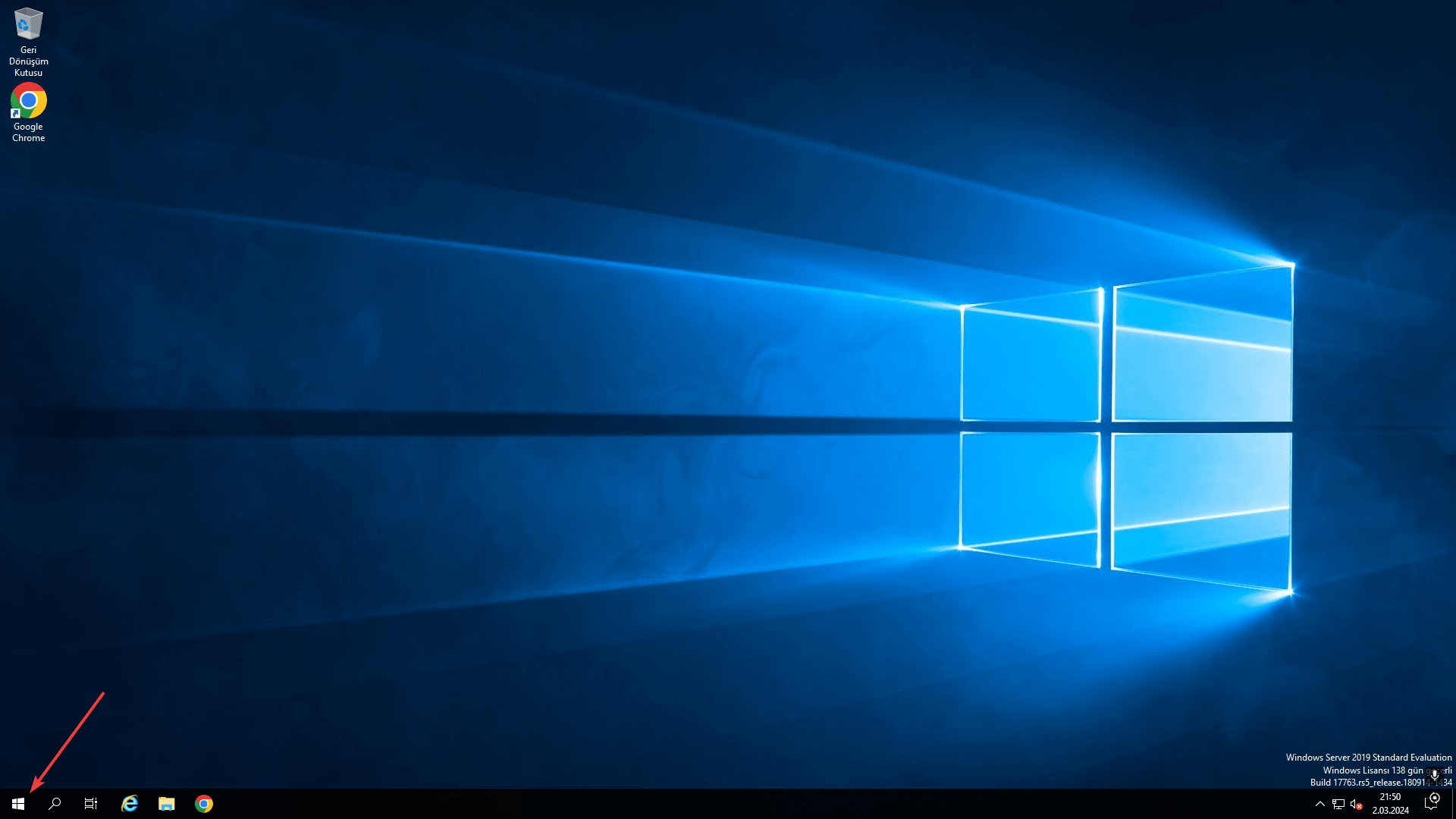
- Right-click the Windows icon in the bottom-left corner.
- Select “Disk Management” from the menu.
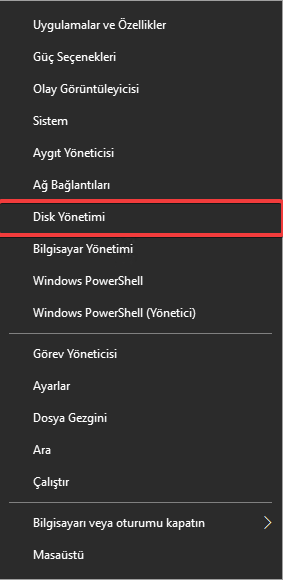
3. Extend the C: Drive:
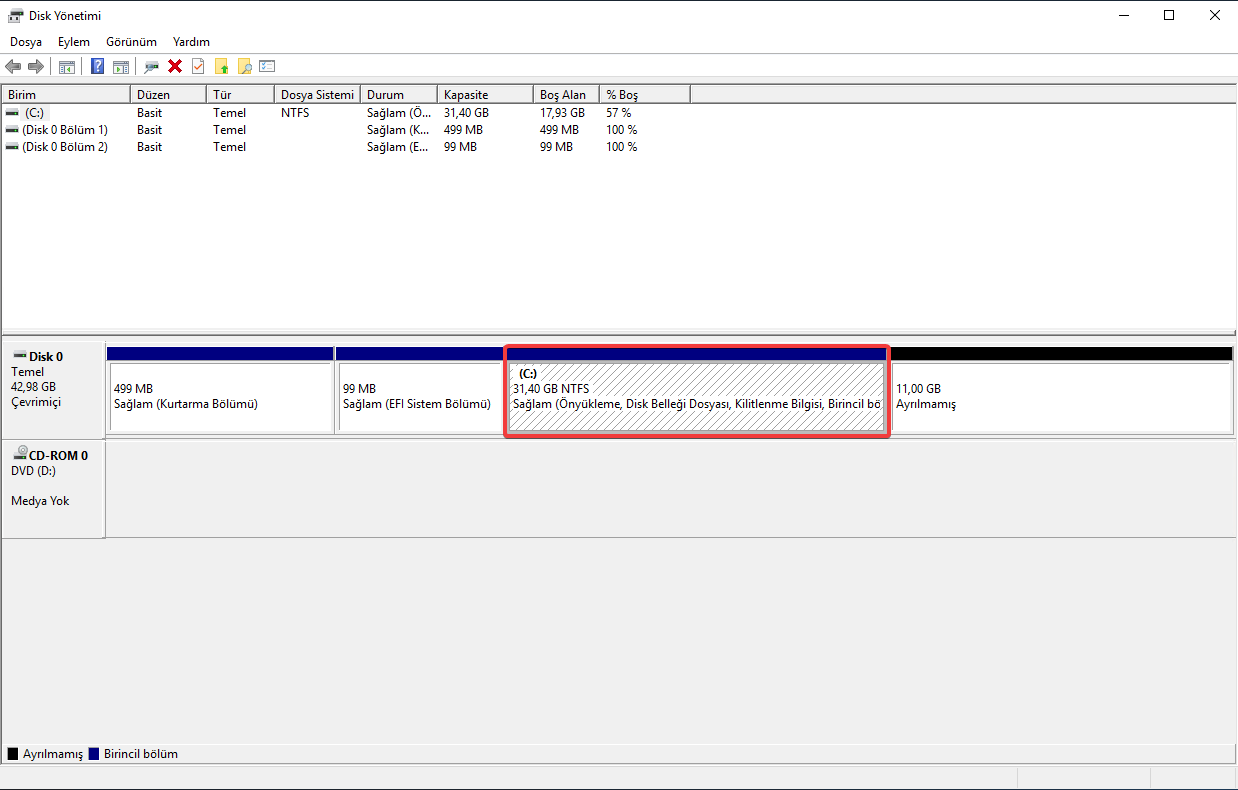
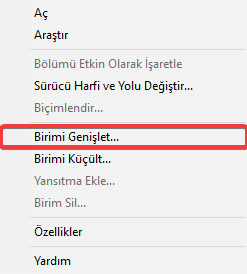
- In the Disk Management window, right-click the C: drive.
- Follow the instructions in the video.
4. Wait for the Process to Finish:
- Extending the disk may take a few minutes.
- Once the process is complete, you will see that the capacity of your C: drive has increased.
Additional Tips:
- If you encounter an error while extending the disk, contact the Yaman Hosting support team.
We hope this blog post was helpful.