Renewing/Extending a Windows License

Yaman Hosting provides Windows server operating systems to its valued customers using a trial license at no additional charge. This means you do not need to pay an extra license fee for your servers.
What is a trial license?
A trial license lets you use Windows servers free for 180 days. Before the license expires at the end of that period, you can easily extend it.
How can I extend the license period?
Before the license expires, follow the simple steps below to extend it for another 180 days.
- Start menu: in the search box, type CMD to search.
- CMD: right-click it, then choose Run as administrator from the menu.
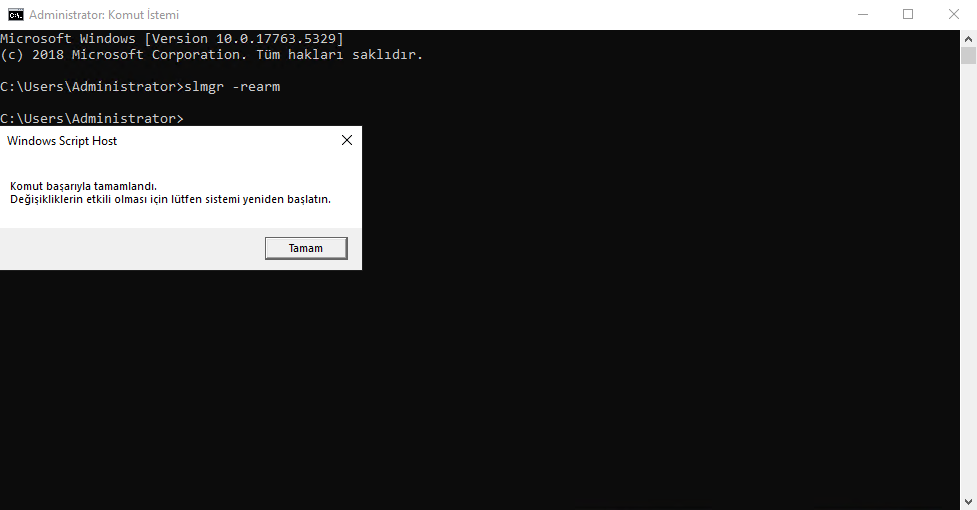
- In Command Prompt, type “
slmgr -rearm” and press Enter to run it. - Restart your computer.
Note: Repeating this process 5 times lets you extend the license free for a total of 900 days, or 2 years and 6 months.